Mastering the Log Book: A Designer's KDP Interior Guide
There is a specific kind of frustration that hits when you are staring at a blank InDesign file trying to build a complex interior layout from scratch. For self-publishers and content creators, the "interior" is often where projects stall. We worry endlessly about cover design, but the actual reading experience—the typography, the margins, the paper texture, and the grid—is what determines if a book feels professional or amateurish. This is where a dedicated Log Book Templates package becomes less of a convenience and more of a strategic asset. It solves the technical headache of file formatting so you can focus on the content and branding.
When we talk about a "KDP Interior," we aren't just talking about blank pages. We are talking about a highly specific set of technical requirements that Amazon demands. You need exact dimensions, specific margin configurations for the gutter (the inside edge where the book is bound), and high-resolution assets that won't pixelate when printed. A well-crafted Log Book Templates file takes the guesswork out of this process. It ensures that whether you are creating a daily planner, a fitness tracker, or a project management journal, the physical object you hold in your hand matches the digital vision you had in your head.
The Anatomy of a Professional Interior
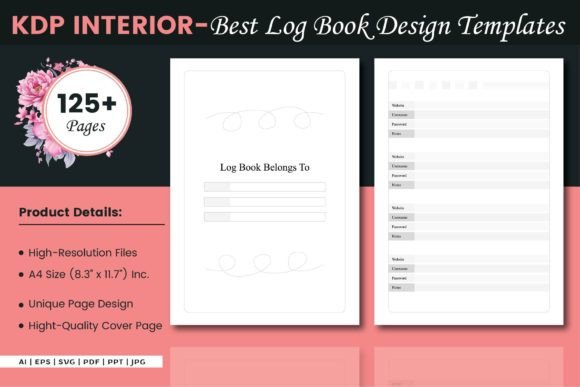
Let’s look at what makes a premium interior file actually "premium." It is rarely about the decoration; it is about the structure. The package described here includes an A4 size (8.3″ x 11.7″) with no bleed, which is a standard, versatile format for workbooks and reference guides. However, the real value lies in the file versatility. Having access to vector source files like AI and EPS, alongside a print-ready PDF, changes how you approach editorial design.
If you are a designer or a brand strategist, you know that a static PDF is limiting. You might want to adjust the weight of the grid lines to match a client's brand identity, or perhaps tweak the font style used in the headers to better match a specific serif font or sans serif font you are using elsewhere in the campaign. With an editable source file, you have total control over the visual hierarchy. You aren't just buying a template; you are buying a foundation that you can customize.
Furthermore, the inclusion of 125 pages is a practical consideration for any serious journal or logbook. It provides enough real estate for a quarterly business review, a three-month fitness challenge, or a semester-long academic tracker. The layout needs to handle readability gracefully over long periods. A dense, cluttered grid will fatigue the user's eye, while a well-spaced layout encourages daily engagement.
Strategic Applications for Creators and Entrepreneurs
The versatility of a robust Log Book Templates system allows it to serve multiple markets. For the entrepreneur, it is the backbone of a custom planner sold on Amazon KDP or Etsy. You can pair the clean interior layout with a bold display font for the cover to create a contrast between the functional interior and the eye-catching exterior. This is a staple of modern packaging design for information products.
For marketers and bloggers, these interiors can be repurposed as lead magnets. Imagine offering a downloadable "Client Intake Log" or a "Content Calendar" as a PDF. Because the file includes JPG and SVG formats, you can easily break the design apart to create social media graphics that preview the interior pages, maintaining consistency across your web design and print assets.
Crafters and hobbyists also find immense value here. Scrapbooking often involves journaling, and having a structured template for memory keeping or inventory tracking adds a layer of professionalism to personal projects. The key is treating the template not as a rigid cage, but as a flexible design asset. You can layer textures, add watermarks, or insert custom iconography using the vector files to make the final product uniquely yours.
Refining the Details: Typography and Usability
While the template provides the grid, the success of the logbook often hinges on the typography choices you make within that grid. If you are customizing the source files, pay close attention to the relationship between the body text and the headers. A common mistake in modern typography is using a script font or handwritten font for large blocks of text. While these creative fonts add personality, they kill readability in a functional logbook. Save them for section headers or chapter titles.
Instead, rely on a sturdy premium font with good x-height for the actual data entry lines. If the template comes with specific typefaces, test them. Do they hold up when photocopied? Do they look crisp on low-quality paper? Since this is a commercial font application, you also need to ensure you have the correct licensing for any fonts you embed, though the template files usually come with open-source or free-for-commercial-use typefaces pre-installed.
Consider the font pairing strategy. If the template uses a geometric sans-serif for the grid labels, you might pair it with a transitional serif for the introduction page to give the book a sense of authority. This interplay between typefaces guides the user's eye, signaling what is instruction versus what is space for input.
Finalizing for Print and Digital
Before you upload to Amazon KDP, the final check is always the technical audit. The Log Book Templates provided here are designed to be 100% ready, but customization introduces risk. If you move elements in Illustrator, ensure you haven't accidentally shifted the margins. The "No Bleed" specification is crucial; if you add a background color that extends to the edge without setting up a proper bleed, the printed book will have white slivers on the edges where the cut wasn't perfect.
Ultimately, a high-quality interior template is an investment in professionalism. It signals to your audience—whether they are customers, clients, or yourself—that the information contained within is organized and valuable. By leveraging the included vector files and high-resolution PDFs, you bridge the gap between a raw idea and a polished, market-ready product. It allows you to focus on the brand perception and the user experience, knowing that the structural engineering of the book is solid.