Unlocking Creative Freedom with DIY Seamless Pattern Smart Templates #03
More Than Just a Template: A New Way to Design
You know the feeling. You have a brilliant idea for a brand, a product line, or a personal project, but you're stuck on the visuals. You need a unique, professional-looking pattern—something for packaging, a website background, social media graphics, or even custom stationery. The thought of building one from scratch, ensuring it tiles perfectly, and managing all the layers feels daunting. This is precisely the friction point that DIY Seamless Pattern Smart Templates #03 is designed to eliminate. It’s not just a static asset; it’s a dynamic system for creation.
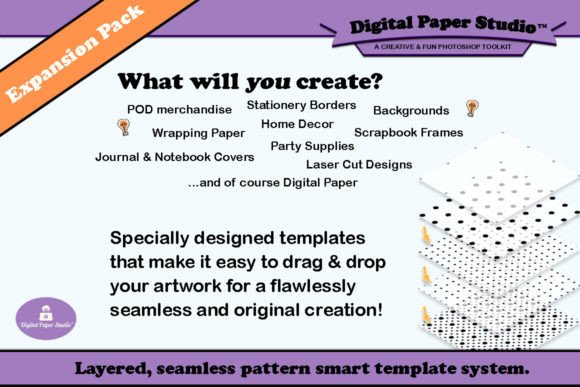
Think of these templates as a well-organized workshop for pattern design. Instead of handing you a finished product, they provide the high-quality tools and a structured space to build your own. The core of the system relies on Adobe Photoshop's Smart Objects, which is a game-changer for workflow. When you open a template, you’ll find neatly grouped segments. Each segment contains a Smart Object layer. Double-clicking that layer opens a separate canvas where you can drag and drop your own images, clipart, silhouettes, or word art. Save that file, and it automatically populates the tile in your main pattern canvas. This non-destructive method means you can experiment endlessly without ever ruining your original setup.
The Personality and Practical Appeal of a Smart System
The visual character of what you create with DIY Seamless Pattern Smart Templates #03 is entirely up to you, but the system itself has a distinct personality: it’s organized, flexible, and professional. The templates provide a foundation of structure—segments and groups—that ensures technical accuracy, like seamless tiling and proper alignment. This professional backbone allows your creative flair to take center stage. You’re not fighting with software glitches or misaligned edges; you’re focused on color, composition, and style.
This approach has significant real-world value. For a small business owner, it means you can quickly generate a suite of coordinating patterns for your brand identity—think product packaging, thank you cards, and Instagram story backgrounds—all sharing a cohesive visual language. A blogger or content creator can produce endless variations of digital paper or social media graphics that feel fresh and custom, yet are quick to make. The system's ability to handle multiple images and colors within a single tile opens up complex, layered designs that would be incredibly time-consuming to build manually. It’s a powerful tool for anyone involved in editorial design, packaging design, or creating web design assets where unique visuals are paramount.
Building a Cohesive Brand with Custom Patterns
A consistent and recognizable pattern can become a cornerstone of your brand identity, much like a well-chosen typeface. While DIY Seamless Pattern Smart Templates #03 focuses on patterns, the principle of visual consistency is the same. Using this system allows you to develop a library of unique design assets that are unmistakably yours. This strengthens brand perception and aids in audience engagement; your followers start to recognize your style instantly across different platforms.
The practical guidance here is to start with your brand's core elements. Pull in colors from your logo design, shapes from your iconography, or textures that reflect your brand's personality. The templates work best when you have a clear creative direction. Don't just throw random clipart into the Smart Objects. Instead, curate. Use a consistent color palette. Mix and match tiles from different expansion packs to create something unexpected but still cohesive. Test your creations by applying them to mockups for your intended use—how does the pattern look on a business card versus a large-format print? The included RGB and CMYK color profiles are a thoughtful inclusion, ensuring your designs will translate accurately whether they’re destined for a digital screen or a professional printer.
From Hobbyist Project to Professional Output
The beauty of this system is its scalability. It serves the hobbyist crafting custom scrapbook paper with the same technical integrity it offers the professional designer creating assets for a client's marketing campaign. For those in marketing or publishing, the efficiency is undeniable. You can generate a series of related patterns for a campaign—perhaps a hero pattern, a simpler secondary texture, and a border—ensuring everything ties together perfectly without hours of manual work.
When evaluating if this tool fits your project, consider your workflow. If you use Adobe Photoshop and value efficiency without sacrificing customization, it’s a strong fit. The learning curve is minimal if you’re familiar with Smart Objects. For font pairing and typography, think of your pattern as the supporting actor. A busy, intricate pattern might call for a clean, modern sans serif font for body text to ensure readability. A simpler, more geometric pattern could pair well with a elegant serif font for headlines. The key is balance. Your pattern should enhance your message, not compete with it.
Ultimately, DIY Seamless Pattern Smart Templates #03 offers a practical solution to a common creative challenge. It provides the structure and technology so you can focus on the fun part: designing something beautiful, unique, and perfectly suited to your project's needs. With upcoming expansion packs promising even more creative possibilities, it’s a system designed to grow with you, turning pattern creation from a technical hurdle into a streamlined part of your creative process.